Functional Analysis

Cyriel Mallart
Ludovic Deneuville
Rémi Pépin

Outline

  1. Functional Analysis
    • Definition
    • UML Diagrams
  2. Software Architecture
    • Definition
    • Separation of Responsibilities

Analyse fonctionnelle

Project Phases

  • Analysis of the needs (specifications)
  • Planning
  • Design
  • Development
  • Testing
  • Deployment
  • Maintenance

Project actors

🚧

  • Fonctionnel - Technique
  • Besoin Métier
  • MOA - MOE
  • Etude préalable, budget, temps, qualité - Cahier des charges - SFD - Spec technique - Dossier test
  • SCRUM

What is Functional Analysis?

  • First step in all projects
  • Determines the functions and actors of the product to meet client needs
  • Diagrams to communicate with the client
  • Prioritizes tasks

Questions to Ask

  • What types of users will use my application (administrator, manager, client, etc.)?
  • What are the features? Common features between profiles?
  • How do the application processes work?
  • Which diagrams should be used?

UML Diagrams

  • First-year course
  • UML 2.5, Pascal Roques, Eyrolles, Memento (ENSAI library)

Note

It is agnostic of the chosen programmation language !

A functional analysis UML diagram is its own language.

Questions?

Software Architecture

What is Software Architecture?

  • The technical counterpart of functional analysis
  • Now that we have the who and what, we determine the how
  • We design the code of our application
  • Macro vision of our application (arrangement of major components)

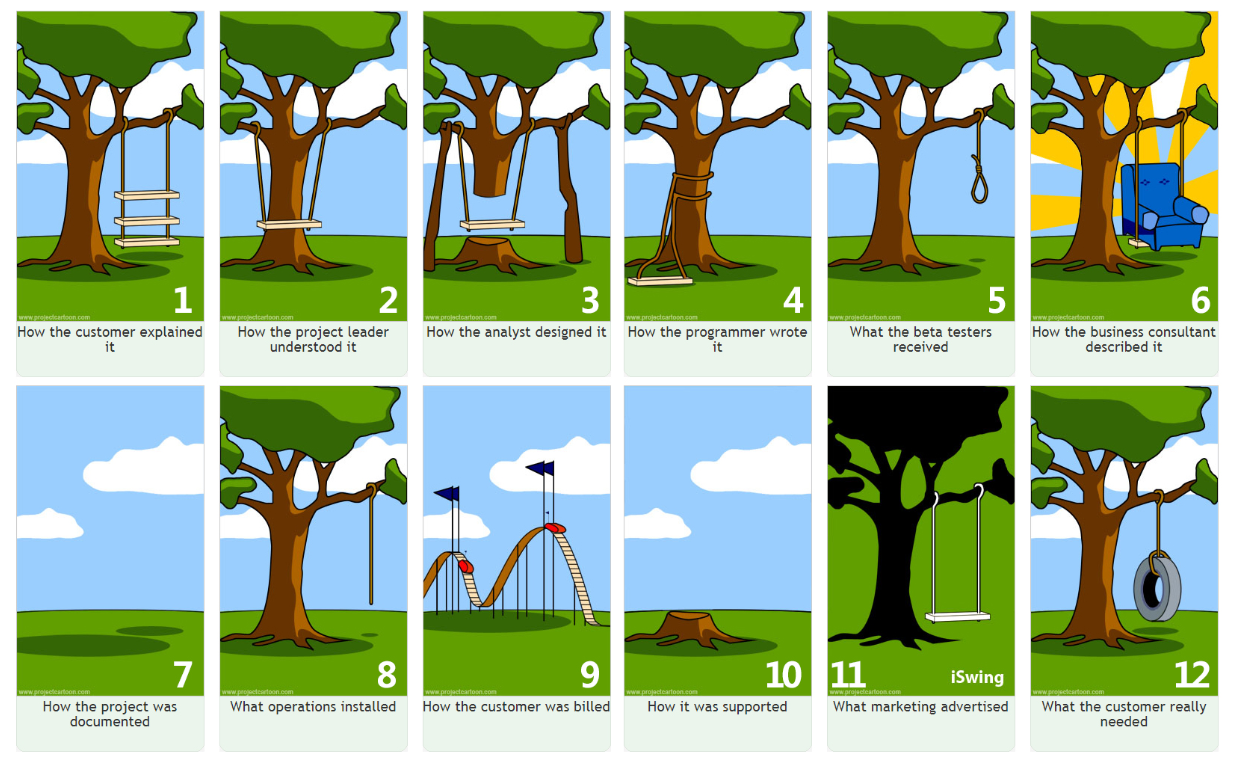
Why It’s Important: Parallel with Architecture

Why It’s Important: Parallel with Architecture

  • Rooms, electrical installation, water, gas, legislative constraints, adapting to the terrain…
  • Need to think about how to arrange all this from the beginning
  • If we build as we go, we risk ending up with an inconsistent house (at best)
  • This is not wasted time!

A Major Principle: Separation of Concerns

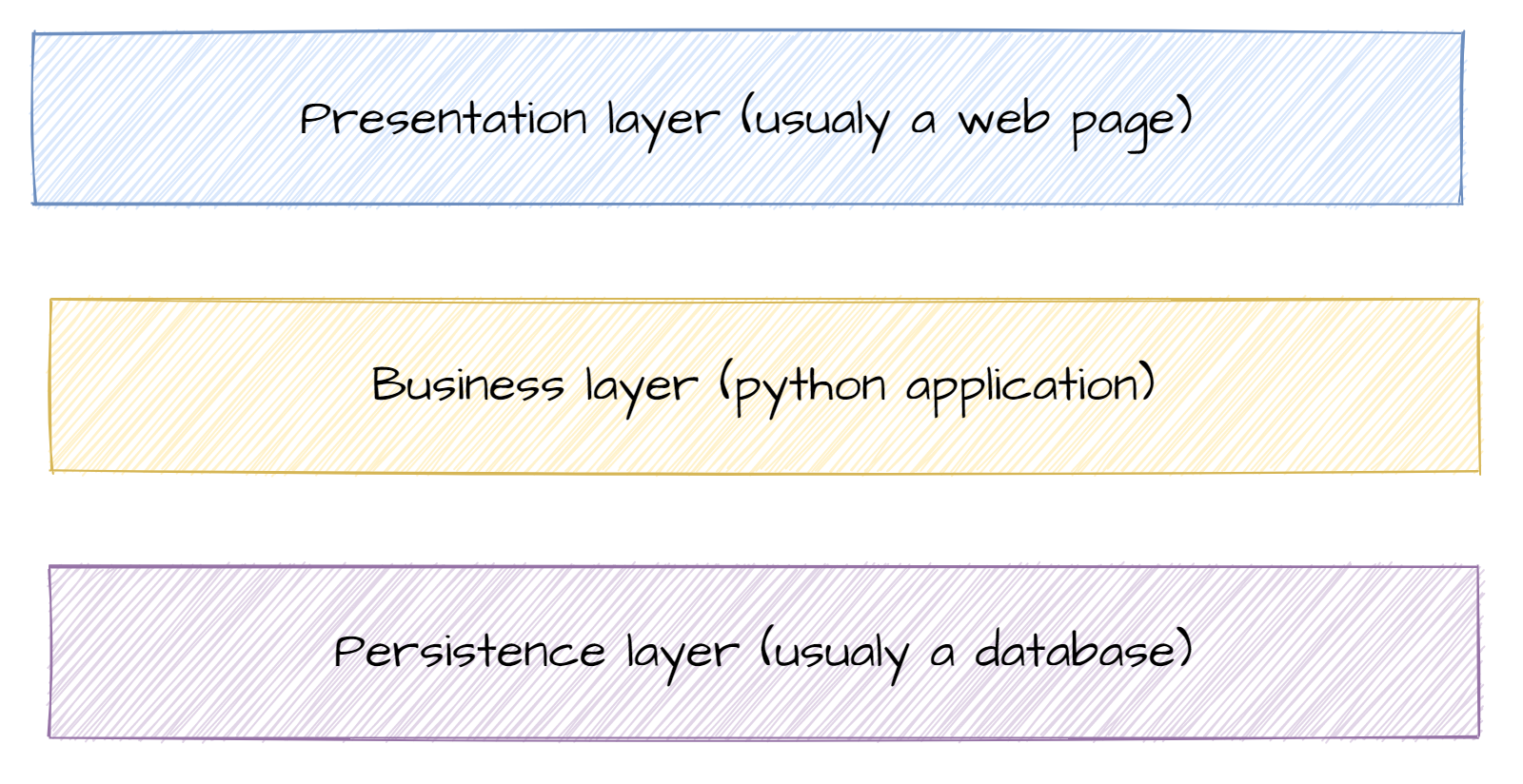
Main Layers of an Application

  • Presentation: everything related to display (web page, console, window)
  • Business: the core of your application, its added value
  • Persistence: manages data persistence. Database or file system

For Your Project

  • Presentation: Front-end
  • Business: Back-end
  • Persistence: Database

Zoom sur la couche métier

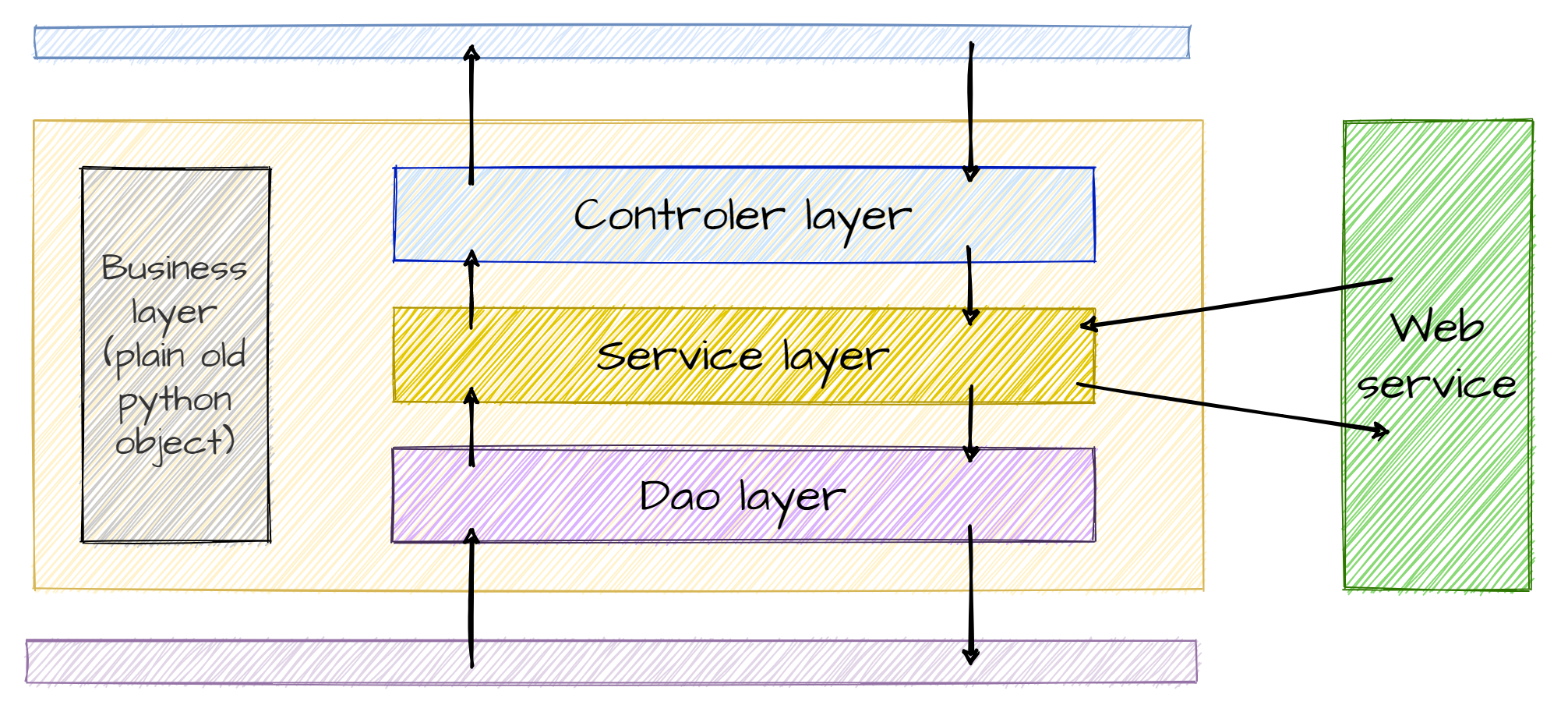
Layers of the Business Layer 1/2

  • DAO (Data Access Object):
    • The part of your code that communicates with the database (Lecture 4/Practical 4)
  • Service:
    • Business code
    • Manipulates business objects to create information or value
    • Requests objects from the DAO layer (Practical 4)
    • Calls external web services (Practical 3)

Layers of the Business Layer 2/2

  • Business Objects:
    • Transversal layer
    • Represent business concepts that your code will manipulate
    • Objects with mostly attributes and few methods
  • Controller:
    • Retrieves user inputs
    • Returns data to be displayed

Why Separate into Layers?

  • Teamwork 🦸‍♀️🧙‍♂️👨‍💼👩‍🔬
  • Code readability 📖
  • Debugging 🐞

Limit the risk of errors when modifying code (avoid spaghetti code) 🍝

Key Takeaways

  • Spending time thinking about the different modules of an application is not a waste of time 🕵️‍♀️
  • Dividing into layers allows parallel work 🧪🧫📚
  • But we still need to think about how to code well 🤖